What happens when the world’s most popular CMS can’t ship a feature that Google Docs mastered a decade ago?
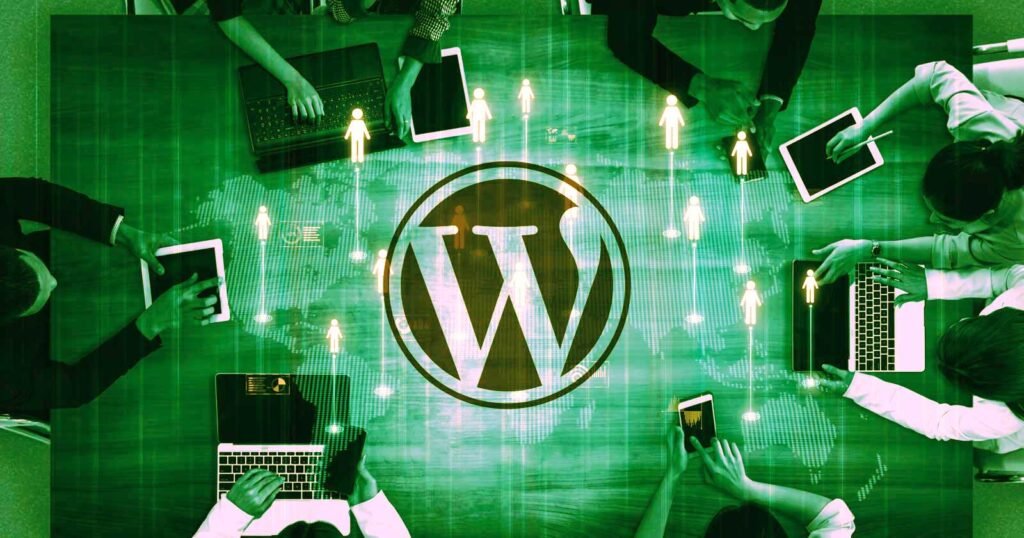
WordPress just delayed version 7.0 indefinitely. The culprit: a real-time collaboration feature that’s been plagued with performance issues and database architecture problems. Originally scheduled for April 9th, 2026, the release is now in limbo while developers rebuild how the feature stores editing events. For digital marketing agencies juggling multiple client sites, particularly those managing local business content and working on strategies for how to improve Google Maps ranking, this delay creates both headaches and opportunities.
What Went Wrong With WordPress Real-Time Collaboration
WordPress has been following a four-phase development roadmap through its Gutenberg project. Phase 3, real-time collaboration, was supposed to let multiple users edit the same content simultaneously. Think Google Docs, but for WordPress posts and pages. Version 7.0 was meant to deliver this alongside new AI integration tools.
The feature has been in beta testing since October 2025 through WordPress VIP enterprise customers. Initial feedback looked promising for sites using native WordPress blocks. According to WordPress.org, teams reported smooth experiences when they stuck to best practices. One technical lead even said their team “have not run into any issues.” But here’s where it gets messy: the beta version had to artificially limit how many people could edit at once because the underlying architecture couldn’t handle scale. The system reused existing database tables to store editing events, which created multiple bugs. WordPress developers decided they needed a dedicated database table instead, forcing them to basically rebuild the feature’s foundation.
A GitHub issue ticket spelled it out plainly: the current version “is known to be limited on a performance and scaling basis.” For a platform powering 43% of all websites, shipping something that breaks under load isn’t an option. So they hit pause.
Why This Actually Matters for Local Business Marketing
At first glance, a CMS feature delay seems like inside baseball for developers. But we work with local businesses across Glendale and LA every day, and this hits differently when you’re managing 20 client websites simultaneously. Real-time collaboration would let our content team, SEO specialists, and clients jump into the same Google Business Profile description or service page at once. No more version control nightmares. No more “who has the latest draft” confusion.
For agencies focused on how to improve Google Maps ranking, content velocity matters. Local SEO requires constant updates: adding new service areas, updating business hours, publishing location-specific blog posts, responding to review trends with fresh content. When multiple people can work on a page simultaneously, you ship faster. But if the feature ships broken, you get data corruption and lost work instead. We think WordPress made the right call here, even if it stings short-term.
The Deeper Problem Nobody’s Talking About
This delay is a symptom, not the disease. WordPress has struggled with the Gutenberg block editor since 2018. Many developers and agencies still disable it entirely, preferring classic editors or page builders like Elementor. The real-time collaboration feature only works smoothly with sites “built for modern WordPress” using native blocks and following best practices. That’s a polite way of saying: if your site uses any of the thousands of third-party plugins and custom code most real WordPress sites rely on, good luck.
Our take: WordPress is trying to compete with platforms like Webflow and Notion while maintaining backward compatibility with 20 years of legacy code. That’s nearly impossible. The enterprise customers testing RTC in beta had clean, well-maintained sites with dedicated development teams. Most small businesses running WordPress have sites held together with plugins from 2019 and custom code nobody remembers writing. Rolling out a feature that “works seamlessly when sites are built for modern WordPress” is like saying a car runs great if you only use premium gas and change the oil every 1,000 miles. Technically true, but not how most people operate.
How to Prepare Your WordPress Sites Now
While we wait for version 7.0, here’s what agencies and businesses should actually do:
- Audit which plugins you’re using and whether they follow current WordPress coding standards. Anything that hasn’t been updated in over a year is a red flag for future compatibility.
- Start converting custom post types and legacy content to Gutenberg blocks now. When RTC does ship, you’ll want native block compatibility.
- Test your site’s database performance. If you’re already slow, adding real-time collaboration features will make it worse.
- Document your content workflows. Multiple people editing simultaneously only helps if you have clear processes for who owns what sections.
- Consider whether you actually need real-time collaboration. If your team is small or works asynchronously, this feature might not matter to your workflow at all.
What This Means for Teams Focused on Local Search
Local businesses competing in Google Maps need fresh, accurate content constantly. If you’re working on how to improve Google Maps ranking for multiple locations, content collaboration tools can speed up your workflow significantly. But only if they work. We’ve seen too many agencies chase shiny new features that sound great in demos but break in production. For Glendale and LA businesses where we manage local SEO campaigns, we’re not rushing to adopt WordPress 7.0 on day one anyway. Let other agencies beta test it on their client sites first.
The smarter play: focus on content quality and publishing consistency with your current tools. Real-time collaboration is a workflow optimization, not a ranking factor. Google doesn’t care whether two people or ten people edited your Google Business Profile content. They care whether it’s accurate, comprehensive, and helpful. If your current WordPress setup lets you publish location pages efficiently and keep service descriptions updated, you don’t need to wait for 7.0. If your workflow is already broken, real-time collaboration won’t fix it.
The Local Angle
For agencies operating in Los Angeles and Glendale, this WordPress delay has practical implications. Many of our local business clients run WordPress sites because their previous agency set them up that way years ago. These sites often have outdated themes, conflicting plugins, and custom code nobody documented. Rolling out a feature that requires “modern WordPress best practices” to work reliably means we’d need to rebuild half these sites first. That’s not a WordPress 7.0 problem, that’s a WordPress ecosystem problem. The CMS has become so flexible and extensible that there’s no standard way most sites are actually built anymore. When we’re optimizing how to improve Google Maps ranking for a local contractor or restaurant group, the WordPress version matters far less than whether their NAP data is consistent and their content targets the right local search terms. We’ll update client sites to 7.0 eventually, but only after the first few point releases fix the inevitable bugs. In the meantime, we’re more focused on whether their Google Business Profiles are complete and whether they’re publishing enough location-specific content to rank in local pack results.
Sources
Search Engine Journal: WordPress’s Troubled Real-Time Collaboration Feature
