
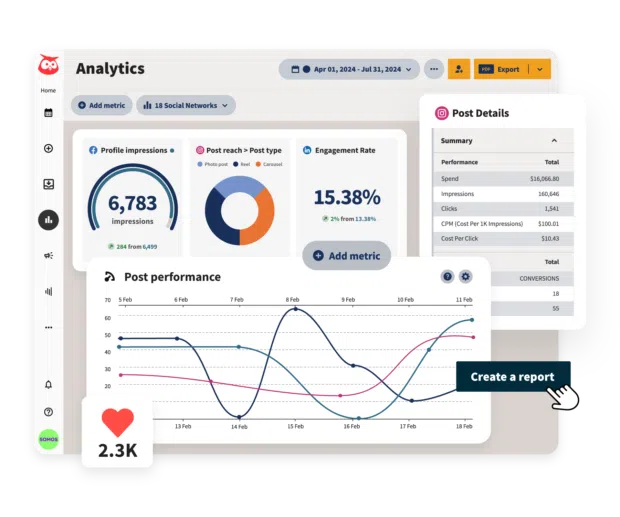
Most guides on how to write SEO-friendly blog posts focus on keyword density and meta descriptions. They miss the bigger picture. The best SEO content starts with understanding what your audience cares about, and social media analytics tools give you that intelligence for free.
Why Analytics Tools Matter for Content Strategy
- Real audience data trumps keyword research alone: Analytics show what topics actually drive clicks, shares, and conversions
- Platform-specific insights reveal where your audience lives: LinkedIn content performs differently than Instagram, and your blog strategy should reflect that
- Competitor benchmarking exposes content gaps: See what works in your industry, then create something better
- Sentiment tracking catches problems early: Negative mentions around certain topics tell you what to avoid or address head-on
- Timing data shows when to publish: Post performance by hour and day informs your editorial calendar
How Social Data Shapes Better Blog Content
We work with LA businesses who publish blog posts into the void. No traffic. No engagement. They follow all the technical SEO rules but ignore what their audience actually talks about online.
Here’s what changes when you add social analytics to your content process: You stop guessing at topics. Tools like Hootsuite or Sprout Social show which posts sparked conversation last month. A bakery client noticed their behind-the-scenes Instagram stories got 3x more engagement than product shots. We pivoted their blog content to include more process posts and recipe origins. Organic traffic jumped 47% in eight weeks.
You also catch trending questions before they blow up. Social listening picks up recurring phrases and problems your audience mentions. A fitness studio saw clients asking about home workout equipment on Facebook. We wrote a buying guide before their competitors did. That single post now drives 200+ monthly visits and ranks #3 for a local commercial keyword.
Cross-platform performance data tells you which angles work where. A B2B client found their Twitter audience engaged with quick tips while LinkedIn followers wanted case studies. We created both formats from the same core research. The LinkedIn version became their most-shared post of 2025.
How to Write SEO-Friendly Blog Posts Using Analytics
Start with your social media dashboard. Most analytics tools include a content performance section. Look at your top 10 posts from the last 90 days. Note the topics, formats, and questions they answered.
Export engagement data and sort by comment count, not just likes. Comments signal genuine interest. People who take time to respond are the same people who will read a 1,500-word blog post on that topic.
Run a competitor content audit using social listening features. Search for your main keywords plus ‘tips’ or ‘how to.’ See what your competitors posted and how their audience reacted. Find the gaps. If everyone wrote beginner guides but advanced practitioners are asking questions in comments, write the advanced guide.
Map social topics to search intent. A high-engagement social post about ‘Google Ads budget mistakes’ suggests people want practical budget advice. That becomes a blog post targeting ‘how to set Google Ads budget’ with real numbers and screenshots. This is where SEO Services and social strategy overlap: social tells you what resonates, SEO tells you how people search for it.
Track which blog posts get shared back to social media. Tools like BuzzSumo or even native platform analytics show social shares by URL. If a post gets shared 50+ times, you found a winner. Write three more posts expanding on different angles from that piece.
Use sentiment analysis to refine your angle. If your audience talks negatively about ‘expensive agencies’ or ‘complicated dashboards,’ your blog content should emphasize affordability and simplicity. Match their language. Address their frustrations directly.
The Technical Setup Nobody Talks About
Analytics tools work better when they connect to your full marketing stack. Here’s the minimum viable setup: Link your social accounts to Google Analytics using UTM parameters on every shared link. This shows which social posts drive actual website traffic and conversions, not just likes.
Set up goal tracking in Analytics tied to blog actions: newsletter signups, contact form fills, service page visits. Now you can measure which topics convert readers into leads.
Create custom dashboards filtering blog referral traffic by social channel. We run this report monthly for clients. It typically shows LinkedIn drives higher-quality traffic for B2B while Facebook brings volume for B2C. Adjust your content promotion accordingly.
Export performance data quarterly and compare YoY trends. One post that flopped in January might gain traction in June when search trends shift. Republish and re-share underperforming content at different times before you kill it.
Most small businesses skip this integration work. They publish, share once, and hope for the best. The businesses that connect their analytics see 2-3x better ROI from the same content effort.
What Free Tools Can Actually Do
You don’t need enterprise software to start. Native platform analytics (Facebook Insights, Twitter Analytics, LinkedIn Analytics, Instagram Insights) all provide solid baseline data. They show post performance, audience demographics, and peak engagement times at zero cost.
Google Analytics remains the most powerful free tool for tracking blog performance. The Acquisition report shows exactly which social channels drive traffic. Behavior Flow shows where readers go after landing on your blog. Set up free Search Console too. It reveals which queries already bring you traffic, often exposing content gaps you can fill.
The limitation of free tools: they don’t connect the dots. You have to manually compare data across platforms. For a solopreneur managing 2-3 channels, that’s manageable. For an agency team running 10+ client accounts, you need paid tools that centralize reporting.
What This Means for LA Businesses
LA’s competitive market demands smarter content, not just more content. Your competitors publish blogs too. The difference maker is using real audience data to inform every piece you write. When you learn how to write SEO-friendly blog posts using analytics, you stop producing content for search engines and start creating for the humans who will actually read, share, and buy.
Small businesses here often work with tight budgets. A $50/month analytics tool that prevents you from wasting time on low-performing topics pays for itself immediately. We’ve seen clients cut their content production from 8 posts monthly to 4 while doubling their organic traffic because they focused on what their analytics proved would work.
The brands winning in LA right now combine Social Media Marketing insights with disciplined content strategy. They publish less, promote smarter, and measure everything. That approach scales whether you’re a Venice coffee shop or a Burbank tech company. Start with the data you already have. Your next best blog post is hiding in your social analytics right now.
