
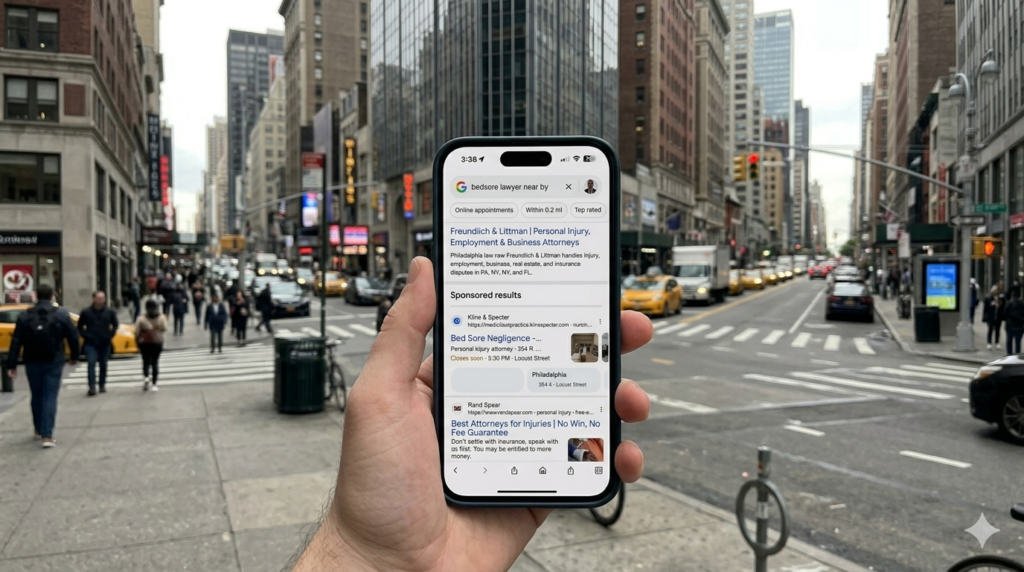
Google just made your individual location reviews visible in ads, not just your corporate rating. If your Pasadena store has 3.2 stars while your corporate profile shows 4.6, everyone can now see that difference.
What Google’s Location Asset Update Actually Means
- Multi-location businesses can no longer hide behind their overall brand rating in Google Ads
- Each physical location’s reviews now appear separately in new swipeable carousel formats
- Poor-performing locations get exposed directly in paid search results
- The horizontal swipe format prioritizes the closest or most relevant locations first
- Review velocity at individual stores becomes a competitive advantage in ad performance
Why This Kills the Old Social Media Playbook
Most multi-location brands run social media from corporate. One Instagram account. One Facebook page. Generic posts about company values or product launches that apply to every location equally.
That approach just became obsolete.
When someone searches for your service and sees your ad with the new layout, they are not just comparing your brand to competitors anymore. They are comparing your Glendale location to your Burbank location. If Glendale’s reviews mention rude staff or long wait times, that specific store loses the click, even if your overall brand is strong.
We have seen this pattern before. When Google started showing individual product ratings in Shopping ads back in 2019, brands with inconsistent product quality got hammered. A company with ten 5-star products and three 2-star products saw their overall conversion rate drop 34% because shoppers avoided the low-rated items. Same thing is about to happen with locations.
The fix is not more corporate messaging. The fix is location-specific content that drives location-specific reviews. And that requires a completely different approach to how you create a social media content calendar.
How to Create a Social Media Content Calendar That Supports Local Reviews
Your content calendar needs to generate positive customer experiences at each location, then convert those experiences into reviews. Here is the framework we use with clients who have 3-12 locations:
Step 1: Audit current review distribution. Pull your Google Business Profile data for every location. Sort by star rating and review count. Your weakest locations need dedicated content immediately, not in six weeks when you get around to it.
Step 2: Assign location-specific content days. If you have five locations, dedicate one weekday to each location’s content. Monday features your downtown store. Tuesday is the Valley location. This is not about posting different content to different accounts (though you can). This is about creating content that highlights specific locations, specific staff, specific local partnerships.
Step 3: Plan review-trigger content. Every location gets two posts per month designed specifically to drive reviews. Customer spotlight posts work: ‘Thanks to Maria for trusting us with her website redesign at our Pasadena office.’ Behind-the-scenes staff posts work: ‘Meet James, our lead developer in Glendale, celebrating 3 years with the team.’ These posts remind customers they had a good experience and make the review ask feel natural.
Step 4: Build local event hooks. Your Atwater Village location should post about Atwater Village street fairs. Your Los Feliz store should mention Los Feliz community events. This is not filler content. When you show up authentically in local conversations, you build the neighborhood credibility that translates to reviews when customers need to choose between you and a competitor.
Step 5: Create staff-led content calendars. Give each location manager a simple monthly template: one team highlight, one customer story, one local event tie-in, one review request post. Corporate provides the framework and approval, but the store creates the actual content. This solves two problems at once. First, the content feels authentic because it is. Second, location managers become invested in their review scores because they are publicly attached to that location’s performance.
Step 6: Track review velocity by content type. Use a simple spreadsheet. Column A: post date and content type. Column B: location. Column C: new reviews in the following seven days. After 90 days you will see patterns. Maybe customer spotlight posts drive 3x more reviews than product posts. Maybe video content outperforms photos for your industry. Double down on what works.
The ROI Case for Location-Specific Social Content
This approach takes more time than corporate-only posting. No question. But the math works heavily in your favor when individual location ratings affect ad performance.
Say you run a dental practice with four locations. Your corporate Instagram has 2,400 followers. You post three times per week, generic dental health tips and smile transformations. Takes maybe two hours per week to maintain.
Now you shift to location-specific content. Same three posts per week, but now each location gets featured once per month with staff highlights, patient stories from that office, local health fairs that location is attending. Work increases to four hours per week because you are coordinating with four location managers.
But here is what happens: Your lowest-rated location (3.1 stars, 47 reviews) starts getting tagged in posts. Patients see their own photos. Staff feels recognized. Over four months, that location adds 23 new reviews and climbs to 3.8 stars. When Google shows location-specific ratings in your ads, that 3.8 instead of 3.1 changes the click-through rate significantly. For our Google Ads management clients, we have seen rating improvements of 0.5 stars increase CTR by 12-18% for local service ads.
The extra two hours per week of social content work pays for itself many times over in ad performance alone, before you count the organic social reach benefits.
What This Means for LA Businesses
If you operate multiple locations in Los Angeles County, you cannot treat social media as a corporate-only channel anymore. The new Google Ads location formats expose performance differences between your stores. Customers will click on your best locations and avoid your worst ones, even if they are the same brand.
The good news: most of your competitors have not figured this out yet. They are still running generic brand content from one account. You have a six-month window to build location-specific review momentum before this becomes table stakes. Start with your weakest location. Build a calendar that features that store twice per week for 90 days. Track the review response. Then scale the approach across all locations.
For businesses that need help connecting social content strategy to paid search performance, our social media marketing team builds integrated calendars that support both organic engagement and review generation. The key is treating each location as its own micro-brand within your larger company narrative.
